


One page does not always have one URL. A marketing link might add tracking parameters, a store might expose several filtered routes, or an old page might remain available after a redesign. The content can look almost identical while the addresses differ.
A canonical URL identifies the version you would prefer search engines to treat as the representative of a duplicate or very similar group. It is useful housekeeping, but it is not a way to make every inconvenient page disappear.
Understand the duplicate before choosing the fix
Start by opening the URLs and comparing what a customer actually receives. Are they the same page with different tracking parameters? Different products? Distinct service pages? A printable version? An old URL that should no longer be used?
The answer matters. A separate service with different information is not automatically a duplicate because it shares the site’s header and footer. Equally, changing one phrase in otherwise repeated content does not necessarily make a useful separate page.
Search engines evaluate duplicates and choose a representative version as part of indexing. Your stated preference is a signal they consider, rather than a command that guarantees the exact version you supplied will be selected. [1]
Use a canonical when versions still need to exist
Consider a hypothetical service page reached both normally and through a newsletter URL with campaign parameters. The page content is the same, but the campaign address helps identify the visit. A canonical preference can point toward the clean page while the tagged address remains usable.
A canonical link normally belongs in the page’s head, managed through the site’s code or SEO system. It does not redirect the visitor. Make the preference consistent with the links and sitemap you control, and avoid pointing different canonical signals toward different destinations. [1]
Your team should be able to explain why each duplicate exists and which version is preferred. If nobody can describe the purpose, keeping all the versions may be adding work without helping the customer.
Use a redirect when a page has moved
If you replace an established URL with a new permanent location, a permanent redirect can take visitors and crawlers to the replacement. That is a different job from leaving both pages available while declaring a preference. Google documents permanent redirects as a signal of a lasting move. [2]
Map the old page to the closest relevant replacement. A page about one service should not automatically land on an unrelated service or a general homepage. Review important incoming links and customer bookmarks when deciding what needs to remain reachable.
After implementing a move, follow the old link yourself and check the final destination. Avoid a chain of unnecessary intermediate redirects, and update the internal links you control so they point directly to the intended page.
Do not use indexing controls as interchangeable switches
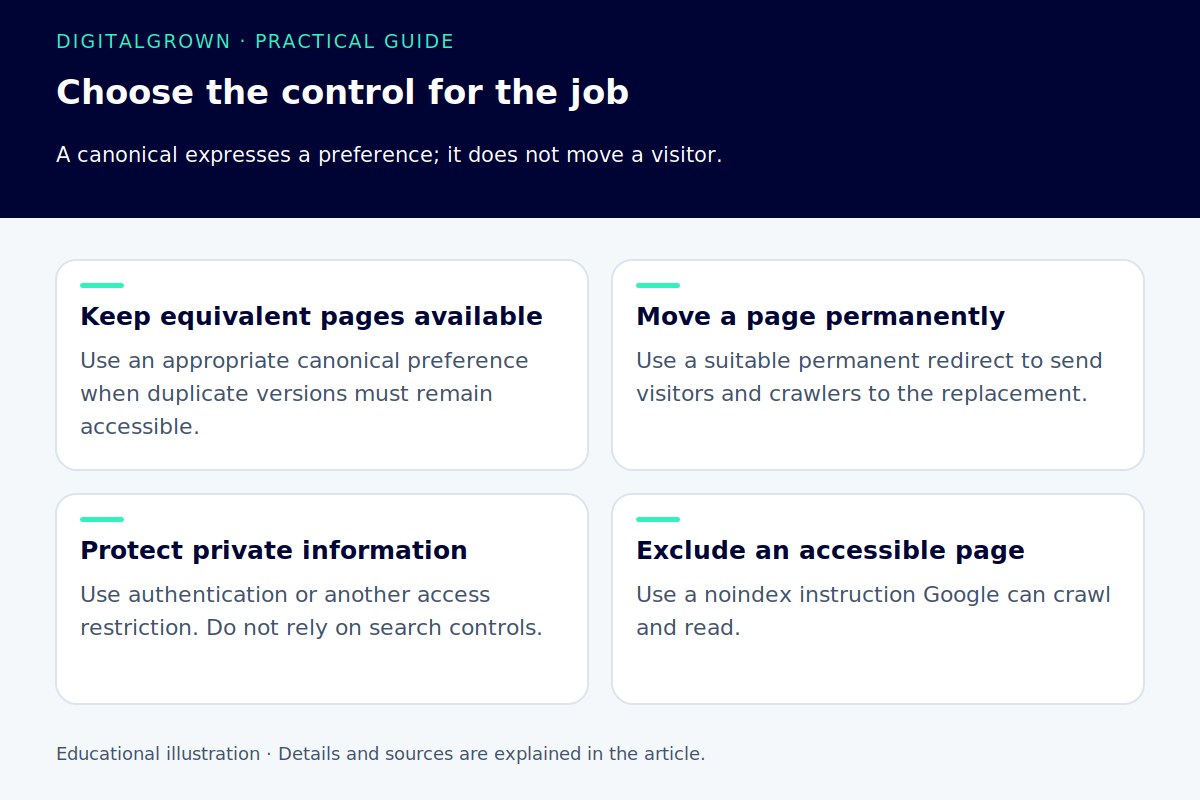
A canonical preference, a redirect, a robots.txt rule, and a noindex instruction solve different problems. Choosing one simply because it is the easiest setting to find can leave the original issue unresolved.
For example, blocking a duplicate in robots.txt can prevent a crawler from seeing the canonical information on that page. A noindex instruction is intended to exclude a page when the rule is read, rather than express that another duplicate is preferred. [3] [4]
For sensitive content, use proper access protection. Search settings are not a privacy mechanism. For customer-facing pages you want found, check that the chosen approach still allows the information to be accessed and understood.
Be careful with product variants and filters
An online store can create many addresses through sizes, colors, sorting, and filters. Some URLs may represent a meaningful product choice; others may be alternate ways of viewing nearly the same content. Review the store’s platform and product-data setup before applying a blanket rule.
Google has specific guidance for product variants, including how variant information and URLs should be represented in structured data. The right design depends on whether variants share a page or have separate pages. Do not treat every different product selection as disposable duplication. [5]
A useful audit samples real customer paths: choose a variant, share the link, return to it, and check that the intended selection appears. Technical cleanup should preserve the functions people need.
Check what the site is actually sending
Review the canonical output on several important page types, not just the homepage. Check recently moved pages, campaign URLs, product variants, and any templates changed during a redesign. A setting that is correct on one template may be wrong on another.
Search Console’s URL Inspection information can help compare the canonical you declared with the version Google selected for an indexed page. Keep in mind the difference between indexed information and the current live page when diagnosing a change. [6]
Record the intended URL, the reason for the duplicate, and the fix. That small inventory makes future redesigns and campaigns easier to manage than guessing why an old rule exists. The aim is a coherent website where visitors reach the right information and search engines receive a consistent explanation.


